 Zinn® Ads
Guides
Build a Google Ads account in Simple mode
Website, budget and markets in; a complete Google Ads plan out, with keywords, ads quoted from your own pages and a plain-words forecast.
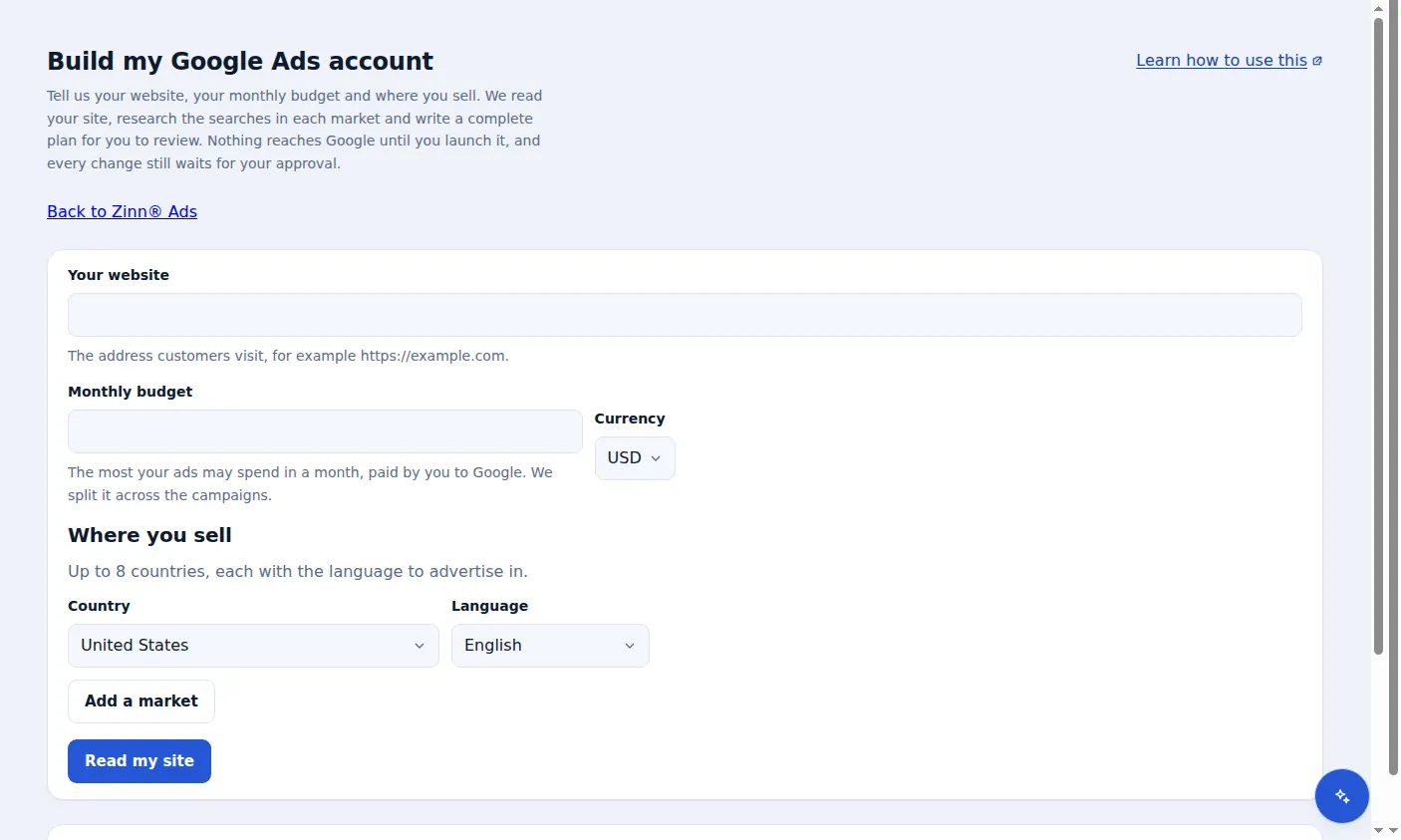
Open Build my account
In Zinn® Ads, open Build my Google Ads account. Nothing reaches Google until you launch it, and every change still waits for your approval.
Your website and monthly budget
Enter the address customers visit and the most your ads may spend in a month, in your currency. The ad spend is paid by you to Google; the plan splits it across the campaigns.
Where you sell
Choose up to 8 countries, each with the language to advertise in, then press Read my site.
We read your site and research each market
Zinn® Ads reads up to 6 pages of your site and researches the searches in each market, with measured search volumes and costs, plus starter negative keywords.
Review the plan
You see the campaigns, keywords and ads. Ads are written only from your site's own words: up to 15 headlines of up to 30 characters and 4 descriptions of up to 90, each checked against ad policies. A forecast in plain words gives clicks, cost and likely conversions as a range, with its uncertainty stated.
Launch for approval
Choose a connected account and launch. Launching only places the changes under Needs you; nothing is live until you approve them.
A real screen from the Zinn® Ads dashboard, with example account names.
Next guide: AI in Zinn® Ads: Zinn Digital® credits or your own key
Included free with Zinn Digital® hosting
Host with Zinn Digital® and the click shield is free
On our hosting the click-fraud shield runs on the server, and Zinn® Ads can see when your site or checkout is down and pause your ads until it is back.