 Zinn® Ads
Guides
Protect your Google Ads from click fraud
The click-fraud shield scores paid clicks from your site's own server logs, lists suspected invalid clicks with reasons and proposes exclusions to Google.
Free on Zinn® hosting
The shield is free and on by default for every site Zinn® hosts. For sites hosted elsewhere it is an add-on under Billing.
How a click is scored
Paid clicks from every network are recognised by their click ID (gclid, msclkid, fbclid, ttclid, li_fat_id, twclid, epik). A click is flagged for reasons such as Bot or script, Datacenter or VPN network, Repeat clicks from one address, Left at once, Loaded no page assets or Country mismatch. A click that converted is never flagged.
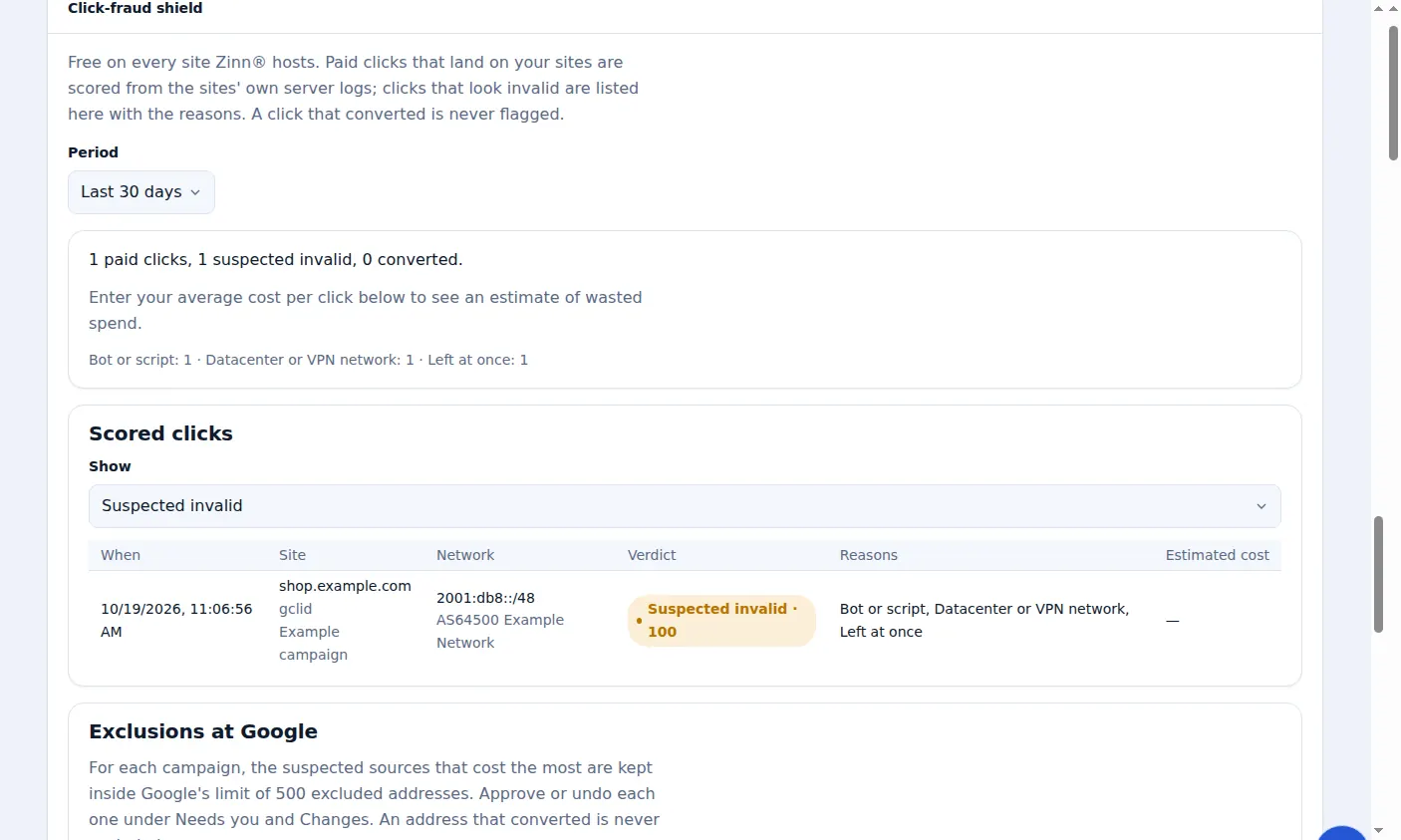
Read the Scored clicks list
Choose a period and filter by verdict. Each click shows its site, network, verdict and reasons. Enter your average cost per click to see an estimate of wasted spend; with Google Ads connected, Google's own average cost for that keyword is used.
Exclusions at Google
Suspected addresses and placements are proposed as exclusions on your connected Google Ads accounts, the costliest kept inside Google's limit of 500 per campaign. Each waits under Needs you unless Exclusions is set to Automatic, and can be undone. Untick Propose exclusions to Google to stop them.
Privacy
Visitor addresses are shown only as their network and are deleted after 60 days, the window for an invalid-click claim. Add your conversion pages, such as /thank-you, so a click followed by one is never flagged.
A real screen from the Zinn® Ads dashboard, with example account names.
Next guide: Claim refunds for invalid clicks with evidence packs
Included free with Zinn Digital® hosting
Host with Zinn Digital® and the click shield is free
On our hosting the click-fraud shield runs on the server, and Zinn® Ads can see when your site or checkout is down and pause your ads until it is back.