 Zinn® Ads
User guide
Check an ad against Google Ads policy before it goes live
What the Zinn® Ads policy pre-check removes or flags in each ad line before launch, and what Google still reviews after an ad has passed it.
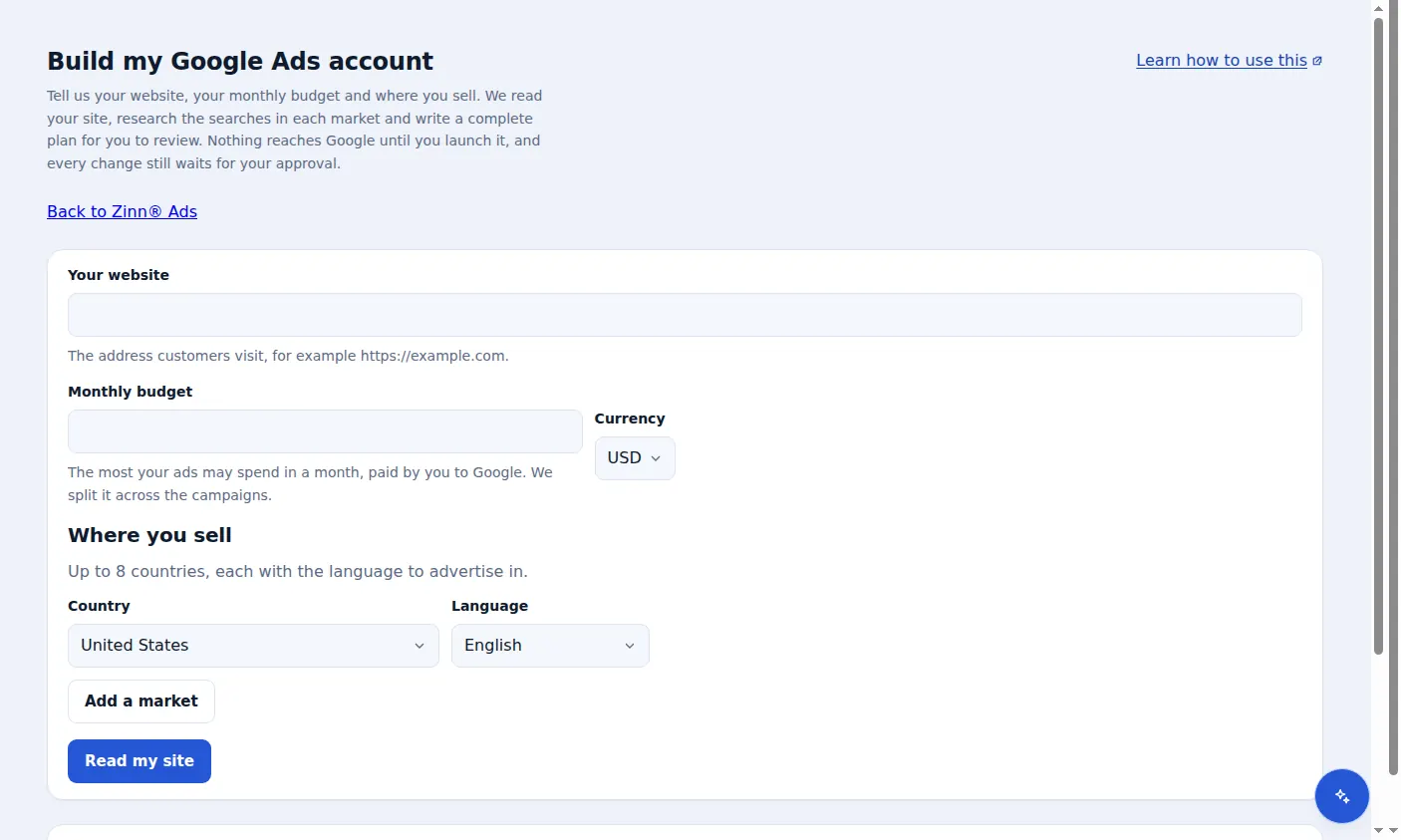
Where the check runs
Every ad in a Simple mode plan is checked before you can launch it. Open Build my Google Ads account, enter your website and budget, and press Read my site.
Lines that are removed for their form
A line is removed when it is too long (30 characters for a headline, 90 for a description), has an exclamation mark in a headline or more than one in a description, repeats punctuation, or uses symbols or emoji.
Lines that are removed for what they say
A phone number, a web or e-mail address in the text, gimmicky capitals, a competitor's name and a line that repeats another are removed too.
Lines that are flagged for you
Superlatives such as best or #1, and restricted topics such as gambling, pharmacy, crypto, alcohol, dating, loans and weapons, are flagged for you to check, because Google may ask for proof or a certification. These two word lists are in English.
What Google still reviews
Google also reviews your landing page and your business, so a line that passed can still be limited. Every ad waits for your approval under Needs you before it reaches Google.
Brand-safe competitor ads
Your ads never name another company. Zinn® Ads knows every rival your account names anywhere (its ad groups, its keywords, its comparison pages) plus your own competitor list and the well-known hosting brands, and refuses any ad text that names one, whether a person wrote it or the autopilot did. When you want to compare yourself with a company, allow its name in that one ad group, such as an “alternative to” group: it stays refused in every other group. You see which groups allow which names, and each allowance can be withdrawn or undone with one click.
The quality gate before any ad is sent
Every ad, whoever wrote it, is checked before it reaches the network. It is refused when two lines say the same thing, when lines are pinned that do not need to be, or when it would be rated below Good.
Your brand in headline 1
Headline 1 is pinned to your own domain or brand, and your brand appears in at least one more headline and one description, so the network and the searcher can see who is advertising.
No free-software wording
For software and plugin advertisers, wording such as free plugin, free download or free trial is kept out of every ad, in every language, because Google limits it.
No other company's name in your ad text
Competitor and third-party brand names may be keywords and may have comparison pages, but never appear in a headline or a description.
Poorly rated ads are rewritten
An ad rated Poor or Average gets new headlines and descriptions on the same landing page until it is rated Good. The old ad is paused, with an Undo.
Disapproved assets and old paused ads
A sitelink, callout or snippet the network disapproved is unlinked from the campaign, with an Undo. Once a replacement ad serves, the old paused copy is deleted after a few days, with a full copy kept for Undo.
Limited ad serving, explained
When the network limits an account's ads, for example because the advertiser is new or the brand is unclear, Zinn® Ads says why in plain words and lists the fixes.
A real screen from the Zinn® Ads dashboard, with example account names.
The feature this guide sets up: Site scan and policy check
Next guide: AI in Zinn® Ads: Zinn Digital® credits or your own key
Included free with Zinn Digital® hosting
Host with Zinn Digital® and the click shield is free
On our hosting the click-fraud shield runs on the server, with nothing to install and nothing to pay.