 Zinn® Ads
 feature
Google Ads for small business: a web address, a budget, one approval
Simple mode builds a complete Google Ads account for a small business from your website, budget and markets, with ads from your own pages. You approve it.
What does Simple mode build?
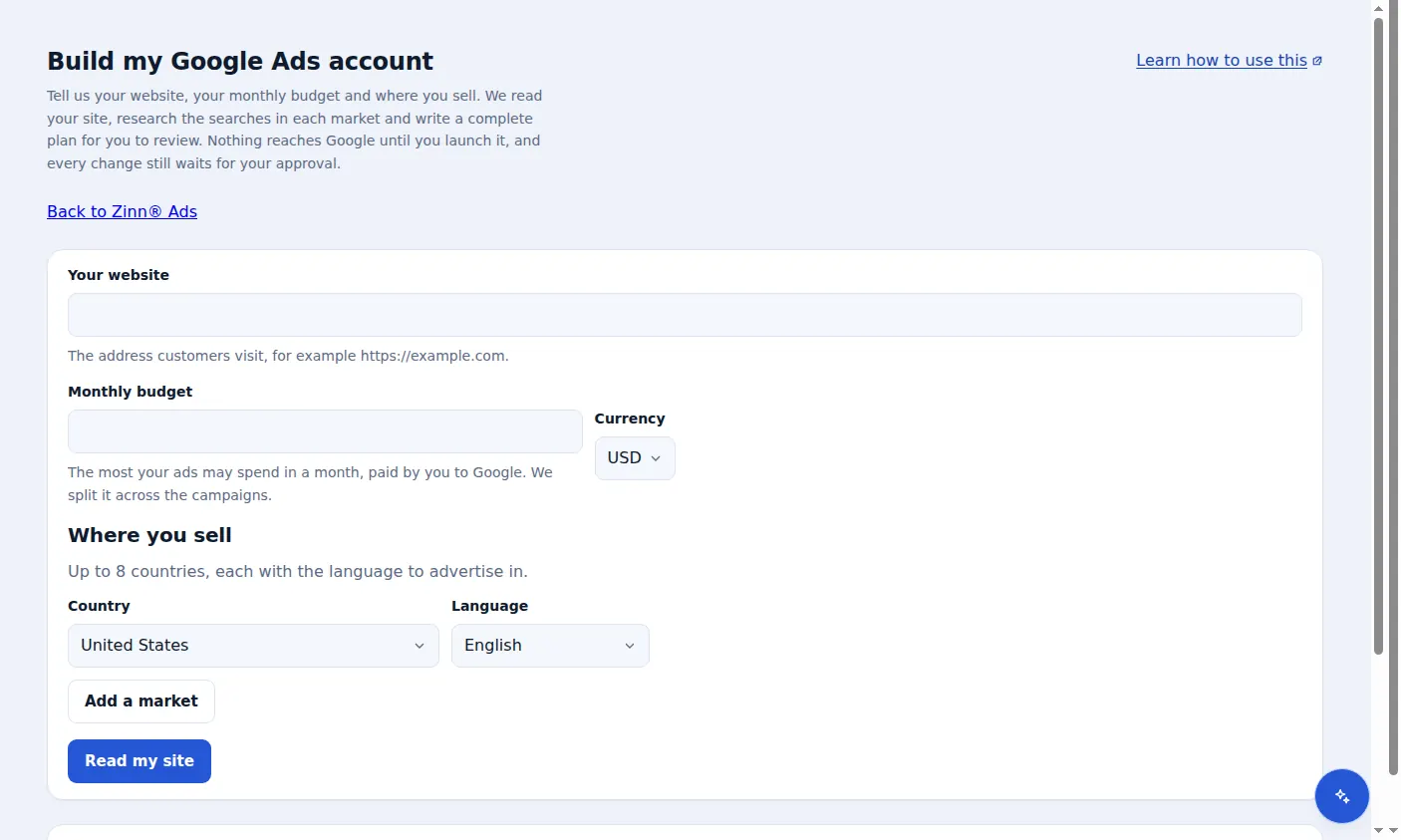
Simple mode builds a complete Google Ads plan from your website address, a monthly budget and up to 8 countries: campaigns, keywords, ads and a plain-words forecast. Zinn® Ads shows it all on one screen, and nothing reaches Google until you approve it.
- Campaigns for each country you sell to, in the language you choose for it
- Keywords researched for each market, with measured search volumes and costs
- Starter negative keywords such as free and jobs, so the budget is not spent on people who will not buy
- Responsive search ads written only from your own pages: up to 15 headlines and 4 descriptions
- Every ad checked against Google Ads policies before launch
- A plain-words forecast of clicks, cost and likely sales, given as a range with its uncertainty
- Only the languages your site has, with each language's ads landing on that language's page
- A market whose language your site lacks is left out of the plan with a note that Tranzly can add that language, and the rest of the plan still builds
- No ads in a language the network cannot serve: Google cannot show ads in Khmer, Lao or Burmese, so those countries are reached in a language it does serve
How is the forecast made, and how sure is it?
Zinn® Ads forecasts clicks, cost and likely conversions from your budget and the searches in each market, and gives each figure as a range rather than one number. It states how uncertain the forecast is in plain words, so you know how far to rely on it.
What do I approve?
Everything. Launching a Simple mode plan only places its campaigns, keywords and ads under Needs you in Zinn® Ads. Nothing is live in Google Ads until you approve it, and every change can be undone for 30 days.
Do I need Google Ads experience?
No. Zinn® Ads Simple mode is made for a small business running ads for the first time: you give your website, your budget and where you sell, and Zinn® Ads plans the rest for you to review.
Who pays for the ad spend?
You do, directly to Google. The budget you enter is the most your ads may spend in a month, and Zinn® Ads splits it across the campaigns it plans. Your Zinn® Ads plan is billed separately.
How do I build a Google Ads account in Simple mode?
Connect Google Ads
Connect the Google Ads account Simple mode should build in.
Step-by-step guide: Connect Google Ads to Zinn® Ads
Open Build my Google Ads account
Enter your website address and the most your ads may spend in a month, in your currency.
Step-by-step guide: Build a Google Ads account in Simple mode
Choose where you sell
Pick up to 8 countries, each with the language to advertise in, and press Read my site.
Step-by-step guide: Build a Google Ads account in Simple mode
Review the plan
Check the campaigns, keywords, ads and forecast on one screen.
Step-by-step guide: Build a Google Ads account in Simple mode
Launch and approve
Launching places the changes under Needs you. They go live in Google Ads when you approve them.
Step-by-step guide: Approve ad changes before they go live
Frequently asked questions
How many pages of my site does Zinn® Ads read?
Up to 6 pages, for your products, prices, offers and the words your customers use. The ads quote only claims found on those pages.
How many countries can one plan target?
Up to 8, each with the language to advertise in.
Does Zinn® Ads invent claims in my ads?
No. Every headline and description quotes a claim found on your own pages, such as a price, an offer or a delivery promise. Nothing is invented.
Can I undo what Simple mode launched?
Yes. Every change Zinn® Ads makes in Google Ads is logged and can be undone with one click for 30 days.
Included free with Zinn Digital® hosting
Host with Zinn Digital® and the click shield is free
On our hosting the click-fraud shield runs on the server, with nothing to install and nothing to pay.
Try Zinn® Ads free
The Free plan includes one ad account and the daily audit, with no card needed. Paid plans add the autopilot.