 Zinn® Ads
 feature
Negative keywords found in your search terms, grouped by pattern
Zinn® Ads reads your Google Ads search terms every day, finds searches that spend and never convert, and proposes them as negative keywords to approve.
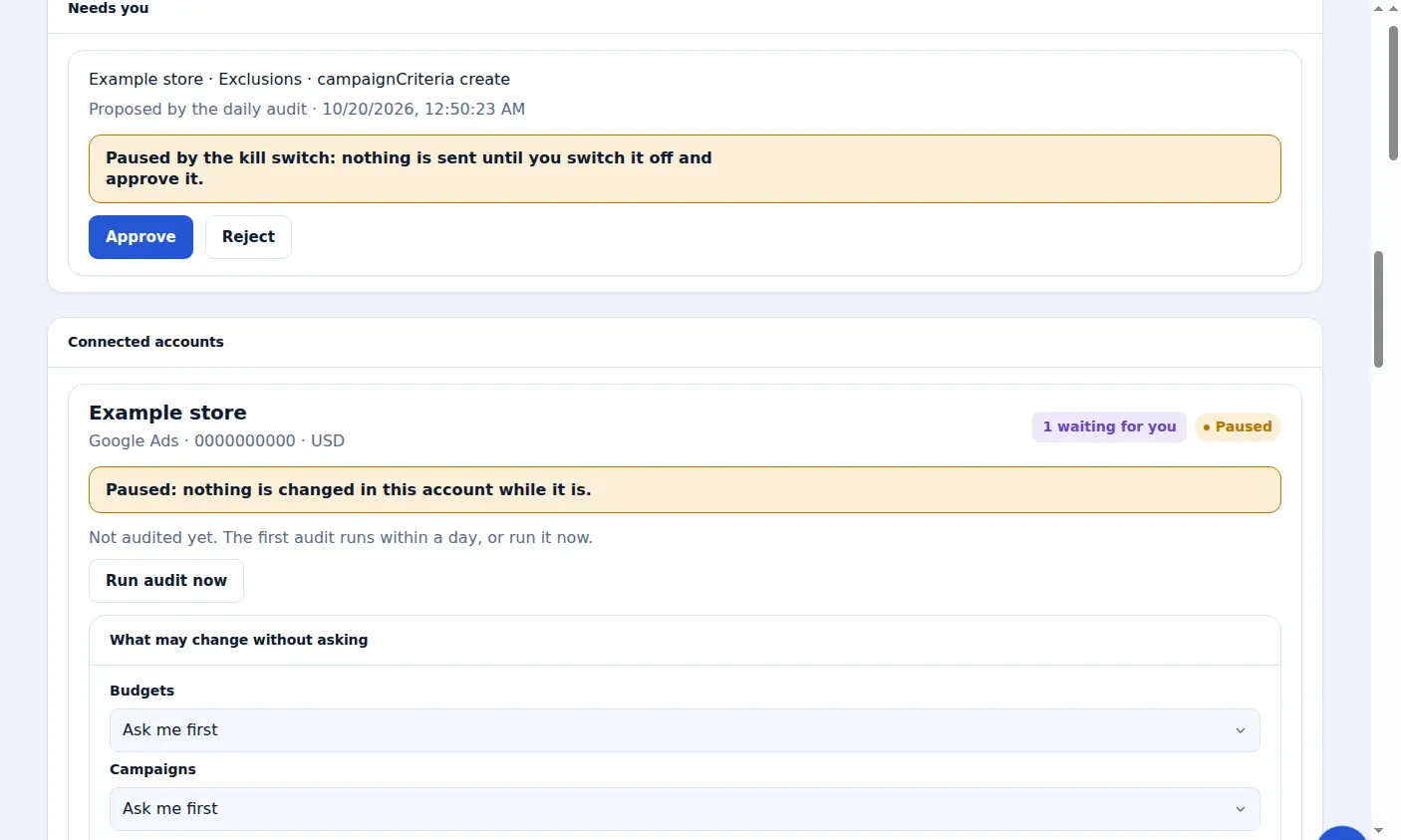
What does Zinn® Ads do with your search terms?
Every day Zinn® Ads reads the search terms report of each connected Google Ads account. A search that spends and never converts, or that belongs to a wasteful pattern, is proposed as a negative keyword, with its reason.
- The search terms report of every connected Google Ads account, read every day
- Searches that spend and never convert proposed as exact-match negative keywords, each with its reason
- Small searches grouped by a shared pattern, such as free, jobs, how-to, students, another brand or the wrong language, and judged on their total spend
- A search that converted, or that is or contains one of your keywords, is never blocked
- A search term you already decided on yourself is never proposed again
- Every negative keyword tested against your own keywords first, so it cannot stop an ad you bid on
- Every negative keyword listed in the daily e-mail, with Undo for 30 days
- A free-host search that starts a checkout is not a sale: its conversion never protects it, and one click blocks it with a free-seeker pack that leaves your own phrases with free in them serving
- Clear waste blocked by itself where your automatic negatives are on, each with Undo: a search or a group of searches that has spent what one sale costs on your account with no sale. A word your keywords or sales share stays your call
- Searches for a rival's name kept in your competitor campaign: blocked as a phrase in your other campaigns, and a bare brand or login search blocked in the competitor campaign, each for your approval. Searches comparing alternatives or prices keep serving
- Every negative and new keyword replayed against your last 30 days of searches first: one that would block your own keywords or a search that sells is never sent by itself
How does Zinn® Ads find wasted search terms?
Zinn® Ads compares what each search cost with what it brought in. A search that has spent past a threshold with no conversion, and shares no word with a search that converts, is wasted spend, and Zinn® Ads proposes it as a negative keyword.
What will Zinn® Ads never block?
Zinn® Ads never blocks a search that converted, a search that is or contains one of your own keywords, or a search you already decided on. Every proposed negative is tested against your keywords first, so it cannot stop ads you bid on.
How are small search terms grouped?
One-off searches are too small to judge alone, so Zinn® Ads groups them by a shared pattern, such as free, jobs, how-to, students, another brand or the wrong language, and judges each pattern on its total spend.
Where do I see what Zinn® Ads added?
Under Changes in Zinn® Ads and in the daily e-mail, where each negative keyword is listed with what it does and why. Each one can be undone with one click for 30 days.
How do I let Zinn® Ads add negative keywords?
Connect Google Ads
Connect the account. The daily audit reads its search terms within a day.
Step-by-step guide: Connect Google Ads to Zinn® Ads
Review the proposals
Proposed negative keywords wait under Needs you, each with its reason. Approve or reject them.
Step-by-step guide: Approve ad changes before they go live
Make negatives automatic, if you like
Set Negative keywords to Automatic in Autopilot settings, and new ones are added for you and listed in the daily e-mail.
Step-by-step guide: Choose what the Zinn® Ads autopilot may change
Undo any of them
Press Undo beside a negative keyword under Changes to take it out again.
Step-by-step guide: Undo an ad change within 30 days
Frequently asked questions
Which match type are the negative keywords?
A single wasted search is added as an exact-match negative keyword, so only that search is blocked.
How often are search terms reviewed?
Every day, as part of the daily audit of each connected Google Ads account.
Can negative keywords be added without asking me?
Only if you set Negative keywords to Automatic in that account's Autopilot settings. Otherwise each one waits for your approval under Needs you.
Can I undo a negative keyword?
Yes. Press Undo beside it under Changes, or use the Undo link in the daily e-mail, for 30 days.
Included free with Zinn Digital® hosting
Host with Zinn Digital® and the click shield is free
On our hosting the click-fraud shield runs on the server, with nothing to install and nothing to pay.
Try Zinn® Ads free
The Free plan includes one ad account and the daily audit, with no card needed. Paid plans add the autopilot.