 Zinn® Ads
 feature
Approve every change, or let the autopilot do the safe ones
Zinn® Ads proposes every Google Ads change for your approval, and you choose, kind by kind, what its autopilot may change by itself, inside your limits.
What is the Zinn® Ads autopilot?
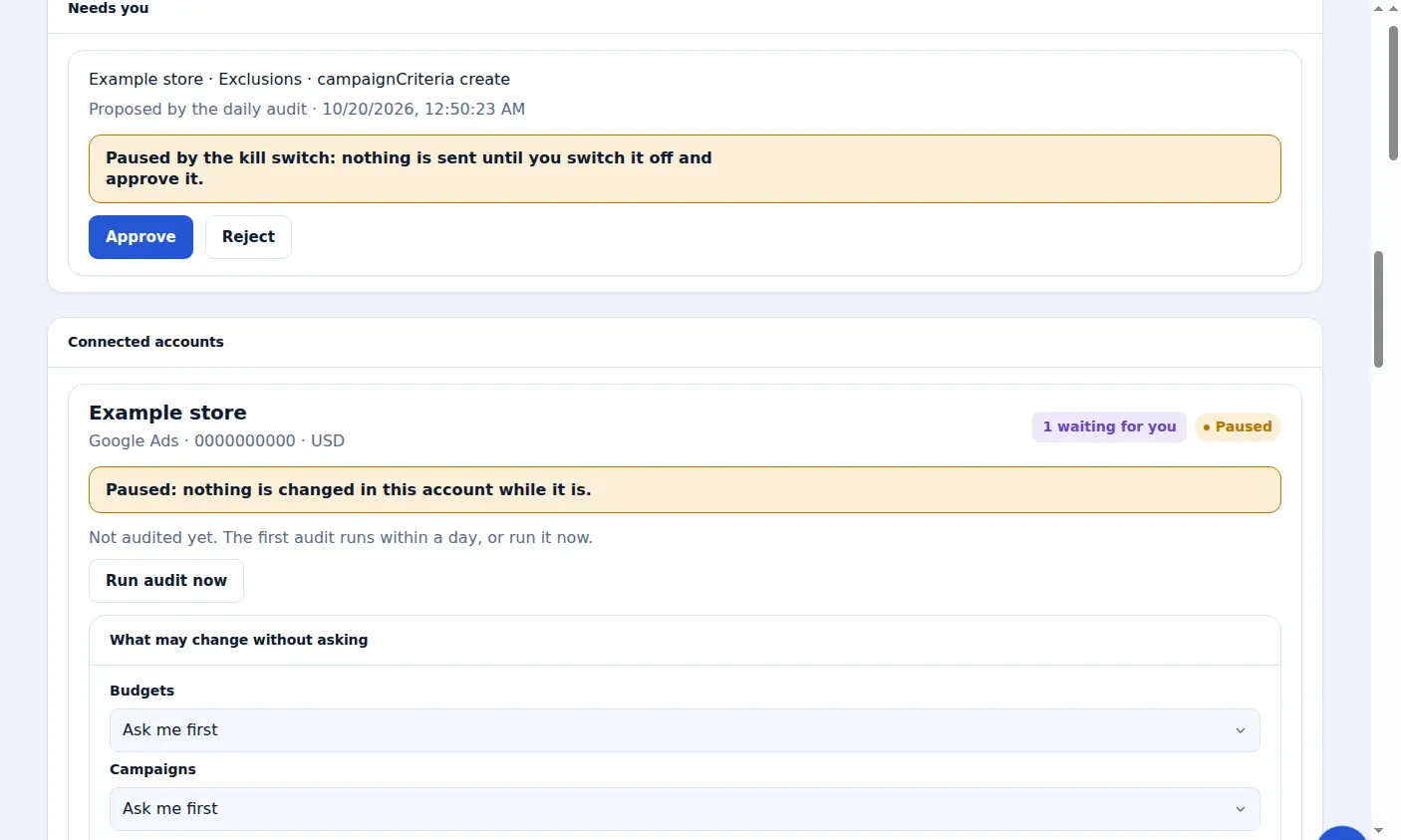
The Zinn® Ads autopilot is the part that changes your ad account for you. Every kind of change starts as Ask me first, so Zinn® Ads proposes and waits; you choose, account by account, which kinds become Automatic and which are never made.
- Ask me first on every kind of change, on every plan, until you choose otherwise
- Ask me first, Automatic or Never for each of 11 kinds of change, account by account
- A plain-words confirmation of what Zinn® Ads will do before any kind becomes automatic
- Hold until a sale: no budget is raised by itself until the account has sold in the last 30 days
- One automatic change by default: a bid-cap raise for campaigns that sell but lose auctions on price
- Every automatic change stays inside your daily and monthly spend ceilings
- Every automatic change listed in the daily e-mail, with Undo for 30 days
- Your decisions bind the autopilot: a pinned campaign keeps its budget and bids, a held campaign gets no automatic change, a protected keyword is never paused or blocked
- New-country campaigns proposed for a country that already sells inside another campaign: you set how many a month, the starting daily budget and the clicks and sales it needs first
What is approve-first?
Approve-first means Zinn® Ads proposes a change and waits under Needs you until you approve or reject it. It is the default for every kind of change on every plan: Approve applies the change straight away, and Reject changes nothing.
Which changes can run on autopilot?
Any kind you set to Automatic in an account's Zinn® Ads Autopilot settings: negative keywords, keywords, pausing and re-enabling, budgets, bids, exclusions, campaigns, ads, assets, audiences and conversions. Automatic comes with the paid plans; on Free every change waits for you.
Which change runs without approval, and why?
One, by default: Zinn® Ads raises the maximum cost per click of a campaign that sells at or below your cost per conversion but loses at least a fifth of its impressions on ad rank. Waiting would lose sales, so it rises 20%, at most once a week.
It never goes above twice where it started, never while your month is heading past your spend ceiling, and never again after you undo one. Turn off Raise the bid cap of campaigns losing on price to stop it.
How do I switch the autopilot off?
Set a kind back to Ask me first or Never in the account's Zinn® Ads Autopilot settings, press Pause this account to stop one account, or press Stop all changes to stop every account at once. Undo keeps working while changes are stopped.
How do I set up the autopilot?
Connect your ad account
Connect Google Ads. Every new account starts with Ask me first on every kind of change.
Step-by-step guide: Connect Google Ads to Zinn® Ads
Open Autopilot settings
On the account's card, open Autopilot settings and choose Ask me first, Automatic or Never for each kind of change.
Step-by-step guide: Choose what the Zinn® Ads autopilot may change
Confirm in plain words
Read what Zinn® Ads will then do by itself, and press Yes, make it automatic.
Step-by-step guide: Choose what the Zinn® Ads autopilot may change
Set your spend ceilings
Enter a daily and a monthly ceiling. No change, automatic or approved, can cross them.
Step-by-step guide: Set spend ceilings and use the kill switch
Read the daily e-mail
Each automatic change is listed with its own Undo link.
Step-by-step guide: The daily Zinn® Ads e-mail
Frequently asked questions
Is the autopilot included in the Free plan?
No. Free has Ask me first and Never, so every change waits for you. Automatic comes with Starter, from $39 a month, and with Pro and Agency.
What happens to Automatic if I move to a smaller plan?
The setting is kept, but each change of that kind waits for your approval until your plan includes the autopilot again.
Can I undo an automatic change?
Yes. Every change, automatic or approved, can be undone with one click for 30 days.
Can I set a return on ad spend target?
Yes. Enter a return target, such as 4, in Autopilot settings. While the last 30 days are under it, every budget raise waits for your approval.
Included free with Zinn Digital® hosting
Host with Zinn Digital® and the click shield is free
On our hosting the click-fraud shield runs on the server, with nothing to install and nothing to pay.
Try Zinn® Ads free
The Free plan includes one ad account and the daily audit, with no card needed. Paid plans add the autopilot.