 Zinn® Ads
 feature
Undo any change Zinn® Ads makes, for 30 days
Every change Zinn® Ads makes in your Google Ads accounts is logged with who proposed it and why, and can be put back with one click for 30 days.
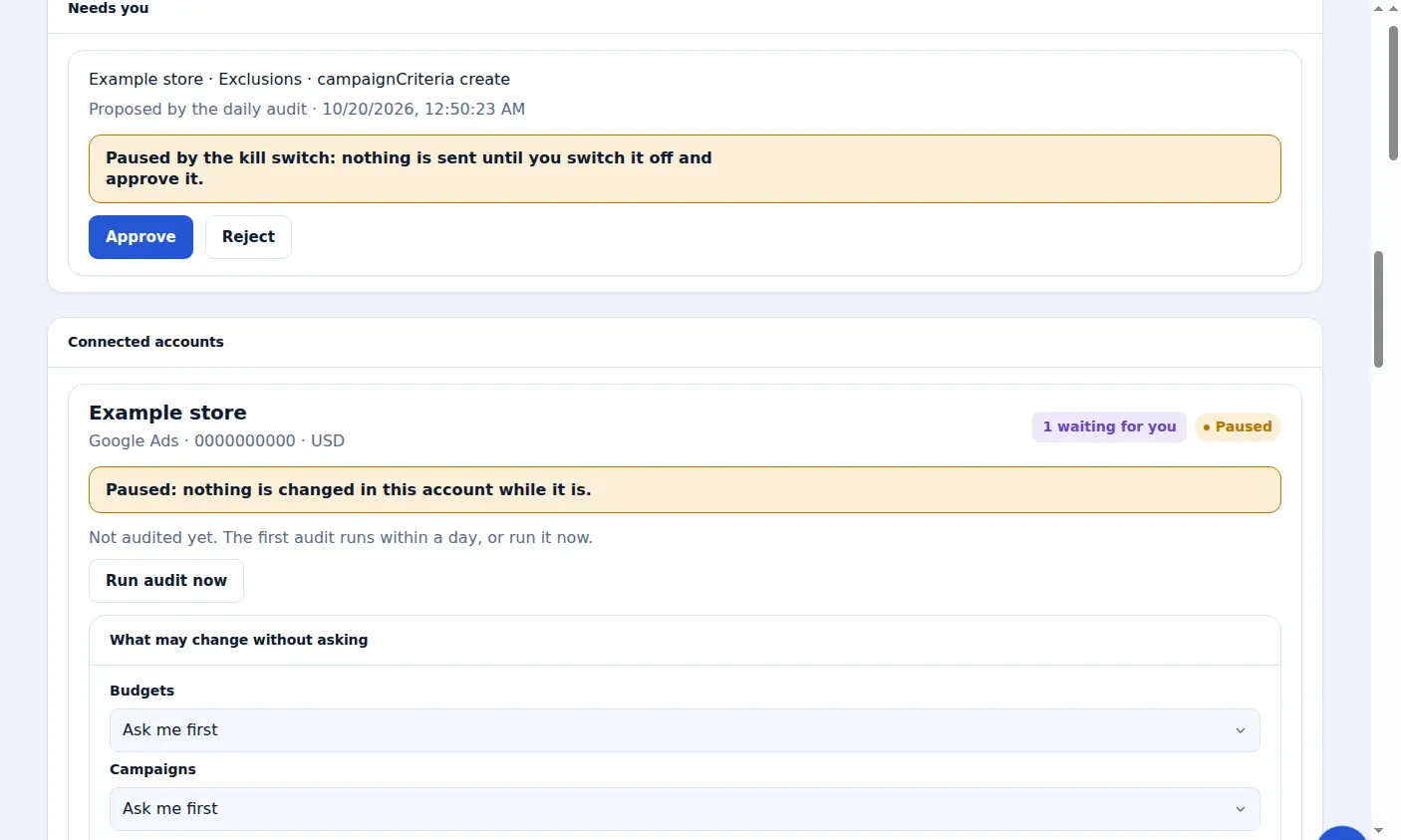
What does Zinn® Ads log?
Zinn® Ads logs every change it proposes or makes: the account, the kind of change, what it does, who proposed it and what happened to it. Each change made can be undone with one click for 30 days.
- Every change listed under Changes, with the date until which it can be undone
- Who proposed each change: the daily audit, or an automatic kind you chose
- Undo with one click: the setting is put back and the change shows as Undone
- An Undo link beside every change in the daily e-mail
- Undo keeps working while the kill switch is on or an account is paused
- Rebuild for a deleted ad: a copy is kept, and the ad is created again as a new paused ad
- Changes Google made by itself are listed against your rules, with Undo and a switch for each auto-apply type
- Every automatic change states what it should do; 14 days later it is measured, and one that made things worse is proposed for Undo, or undone by itself where that kind of change is Automatic
How does undo work?
Press Undo beside a change under Changes, or follow the Undo link in the daily e-mail. Zinn® Ads puts that setting in your ad account back to what it was before the change, and marks the change Undone.
How long can I undo a change?
For 30 days after Zinn® Ads made it. The Changes list shows the date until which each change can be undone.
Can a deleted ad be brought back?
Google Ads cannot restore a deleted ad, so before Zinn® Ads deletes a paused ad or ad group it keeps a copy of its text, paths, final URL and keywords. Rebuild creates it again as a new paused ad, for 30 days.
What does each change record?
Each Zinn® Ads change records its account, its kind, what it does, who proposed it and what happened to it: waiting, approved, rejected, undone, stopped by a safety limit or refused by the network.
How do I undo a change?
Open Changes
The Changes list shows every change made in your accounts.
Step-by-step guide: Undo an ad change within 30 days
Press Undo
Your account is put back as it was, and the change shows as Undone.
Step-by-step guide: Undo an ad change within 30 days
Or undo from the e-mail
Use the Undo link beside the change in the daily e-mail. It asks you to sign in first.
Step-by-step guide: The daily Zinn® Ads e-mail
Frequently asked questions
Can I undo a change I approved myself?
Yes. Every change made in your account, approved by you or made automatically, can be undone for 30 days.
Does undo work when changes are stopped?
Yes. Undo keeps working while the kill switch is on or an account is paused, so you can always put a change back.
How long does an Undo link in the e-mail work?
7 days. After that, open Zinn® Ads and press Undo beside the change under Changes.
Is undo on every plan?
Yes. Every change made on any plan, including Free, can be undone for 30 days.
Included free with Zinn Digital® hosting
Host with Zinn Digital® and the click shield is free
On our hosting the click-fraud shield runs on the server, with nothing to install and nothing to pay.
Try Zinn® Ads free
The Free plan includes one ad account and the daily audit, with no card needed. Paid plans add the autopilot.