 Zinn® Ads
Ad network automation
Microsoft Ads automation, starting with a daily audit of every account
Connect Microsoft Advertising to Zinn® Ads with Microsoft's sign-in, pick your accounts and get a daily audit of each one, beside your Google Ads accounts.
What does Zinn® Ads do in Microsoft Advertising?
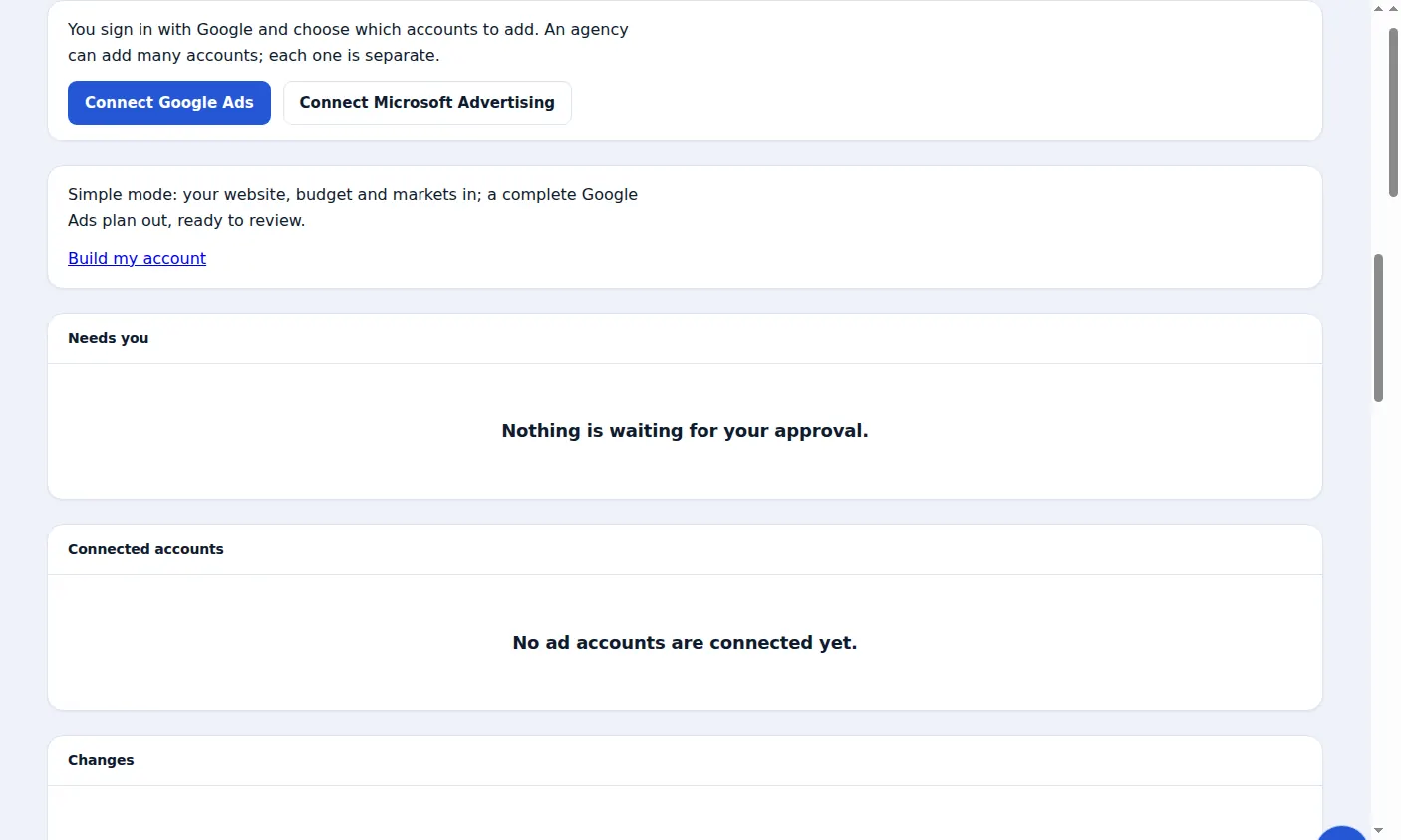
Zinn® Ads connects your Microsoft Advertising accounts with Microsoft's own sign-in and audits each one every day, in the same place as your Google Ads accounts. The audit reads each account and changes nothing in it.
- Connect with Microsoft's own sign-in: Zinn® Ads never sees your password
- Pick the Microsoft Advertising accounts to add, each one kept separate
- A daily audit of every connected account, which reads and changes nothing
- When Microsoft refuses a sign-in, the reason in plain words and how to fix it
- Paid clicks from Microsoft Advertising recognised by their msclkid in the click-fraud shield
- Negative keywords, bids and budgets changed in Microsoft Advertising, approve-first, as in Google Ads
Why connect Microsoft Ads as well as Google Ads?
Microsoft Advertising shows your ads on Bing and Microsoft's partner sites, to searchers who may never see your Google ads. With both connected, Zinn® Ads audits every account in one place, under one company, with one daily routine.
What does the Microsoft Advertising audit change?
Nothing. The Zinn® Ads audit reads each Microsoft Advertising account and shows what it finds; it never changes a campaign, a keyword or a budget. Your ad spend and billing always stay in your own Microsoft Advertising account.
Can Zinn® Ads make changes in Microsoft Advertising?
Yes. Zinn® Ads proposes negative keywords, bids and budgets in Microsoft Advertising the same way as in Google Ads: approve-first by default, inside your spend ceilings, logged and undoable for 30 days.
What if Microsoft refuses the sign-in?
Zinn® Ads shows the reason on the Ads page. A user who signs in to Microsoft Advertising with a Google account cannot connect, so add a user with a Microsoft or work account and connect as that user. If an administrator must approve new apps, ask them to.
How do I connect Microsoft Advertising to Zinn® Ads?
Start free
Create your Zinn Digital® account and land in Zinn® Ads. The Free plan includes one ad account and needs no card.
Step-by-step guide: Get started with Zinn® Ads
Press Connect Microsoft Advertising
On the Zinn® Ads page, press Connect Microsoft Advertising, sign in with the Microsoft account that runs your ads and allow access.
Step-by-step guide: Connect Microsoft Advertising to Zinn® Ads
Choose the accounts
Tick the Microsoft Advertising accounts to add. Each one is kept separate, with its own audit.
Step-by-step guide: Manage many ad accounts in one company
Read the daily audit
Every day the audit reads each connected account and lists what it finds, changing nothing.
Step-by-step guide: Connect Microsoft Advertising to Zinn® Ads
Frequently asked questions
Is Microsoft Advertising the same as Bing Ads?
Yes. Bing Ads was renamed Microsoft Advertising in 2019. Zinn® Ads connects Microsoft Advertising accounts, which show ads on Bing and Microsoft's partner sites.
Does connecting Microsoft Advertising cost extra?
No. A Microsoft Advertising account counts like any other ad account in your plan: Free and Starter include one, Pro five and Agency up to 25.
Does Zinn® Ads see my Microsoft password?
No. You sign in on Microsoft's own page and allow access there; Zinn® Ads never sees or stores your password.
Can I disconnect Microsoft Advertising?
Yes, at any time: press Disconnect beside the account. Your ad spend and billing always stay in your own Microsoft Advertising account.
Included free with Zinn Digital® hosting
Host with Zinn Digital® and the click shield is free
On our hosting the click-fraud shield runs on the server, with nothing to install and nothing to pay.
Try Zinn® Ads free
The Free plan includes one ad account and the daily audit, with no card needed. Paid plans add the autopilot.