 Zinn® Ads
User guide
Review the negative keywords found in your search terms
How Zinn® Ads finds wasted searches in your Google Ads search terms, what it never blocks, and how to approve, automate or undo each negative keyword.
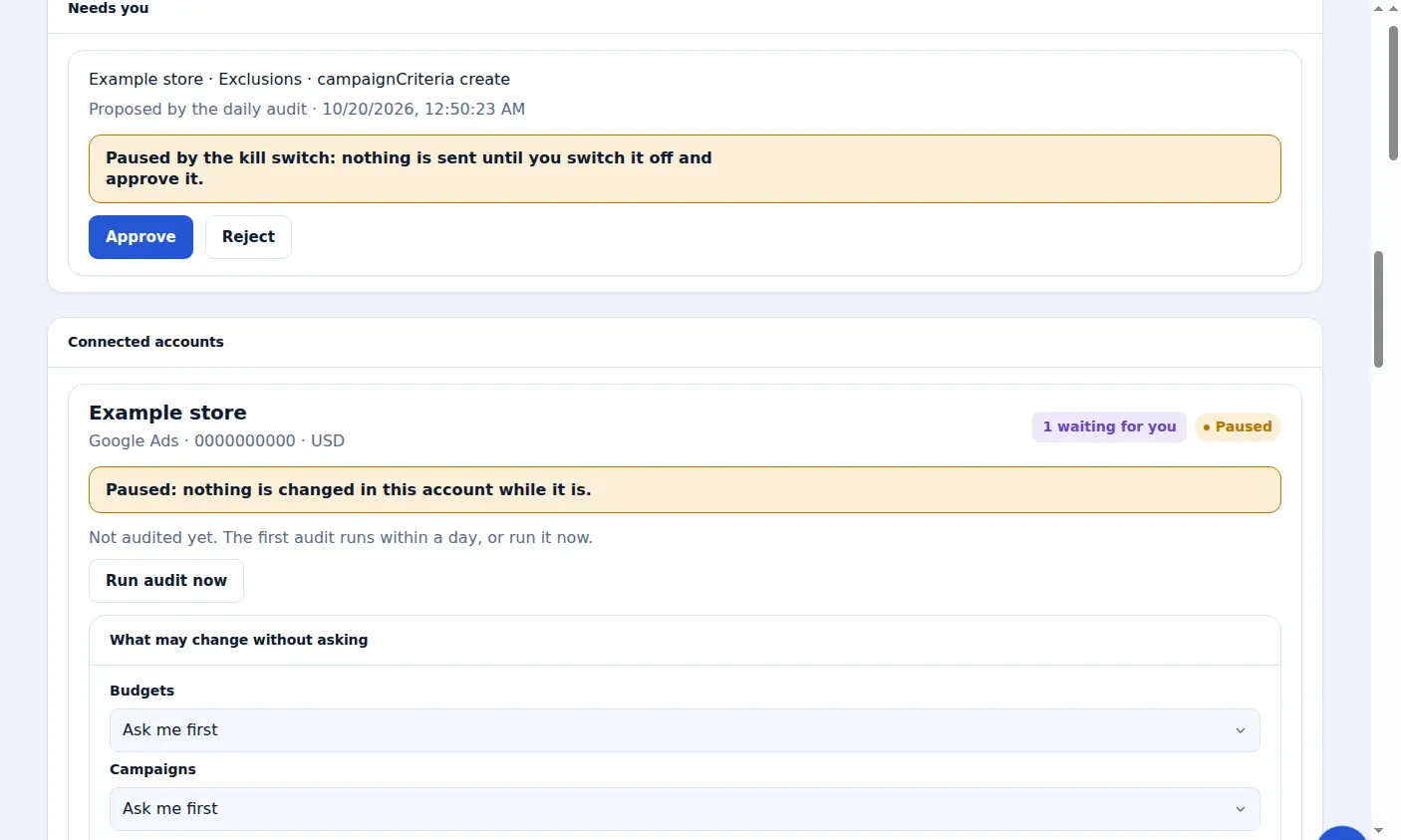
Where the proposals come from
Every day the audit reads each account's search terms. A search that has spent past a threshold with no conversion, and shares no word with a search that converts, is proposed as an exact-match negative keyword.
Patterns of small searches
Searches too small to judge alone are grouped by a shared pattern, such as free, jobs, how-to, students, another brand or the wrong language, and the pattern is judged on its total spend.
What is never blocked
A search that converted, a search that is or contains one of your keywords, and a search you already decided on are never proposed. Every negative is tested against your keywords first, so it cannot stop an ad you bid on.
Approve or reject
Proposed negatives wait under Needs you, marked Proposed by the daily audit. Approve adds the negative keyword in Google Ads; Reject changes nothing.
Let them run automatically
In the account's Autopilot settings, set Negative keywords to Automatic. New negatives are then added for you, marked Made automatically, and listed in the daily e-mail.
Undo one
Press Undo beside a negative keyword under Changes, or use the Undo link in the daily e-mail, for 30 days.
Negatives planned before the first click
Every campaign Zinn® Ads plans starts with negative keywords for searches it does not sell: free, jobs, tutorials and cracks, intents picked from the campaign's own keywords, and rival brands you did not choose to bid on. Each one is tested against the campaign's keywords first, and where a single word would block one, narrower phrases are used. The plan review lists them under Negatives we add from the start; a campaign that is already running gets them as one suggestion, or added by themselves when your automatic negatives are on.
Starter negatives for each market
When Simple mode researches keywords for a market, it adds the starter negatives for that market too, such as free, jobs and tutorial searches.
Off-intent searches blocked within a day
Each new search is judged against what you sell from its first click. One that is clearly not for your offer is blocked within a day, whatever its clicks.
Free seekers and free hosts
A conversion from someone looking for something free never counts as value. Searches for free hosts are blocked with one account-level negative list, not a copy in every campaign.
No keyword fragments
A keyword that is only a fragment, such as a stopword or a comparison word on its own, is never written to your account. Such keywords already in an account are paused.
Replayed before it is added
Before any negative or keyword is added, it is replayed against your recent searches and every keyword you bid on. It is refused if it would block one of your own keywords or a search that sells.
The same rules on every network
Searches Google's AI Max matched by itself are reported and judged apart from your keywords. Searches on every other network are judged with the same rules, and searches that are waste from the first click are blocked even while a campaign learns.
A real screen from the Zinn® Ads dashboard, with example account names.
The feature this guide sets up: Negative keywords
Next guide: Check an ad against Google Ads policy before it goes live
Included free with Zinn Digital® hosting
Host with Zinn Digital® and the click shield is free
On our hosting the click-fraud shield runs on the server, with nothing to install and nothing to pay.