 Zinn® Ads
PPC automation for your business
Google Ads for a local business, without an agency
Zinn® Ads builds and runs Google Ads for a local business: a complete account from your website and budget, ceilings it never crosses, and you approve.
What does Zinn® Ads do for a local business?
Zinn® Ads gives a local business what an agency would: it builds a Google Ads account from your website and monthly budget, audits it every day, proposes fixes for your approval and never spends past the ceilings you set.
- A complete Google Ads account from your website, your budget and where you sell
- Ads written only from your own pages, such as your services and prices
- A plain-words forecast of clicks, cost and likely conversions, given as a range
- Daily and monthly spend ceilings that are never crossed
- A daily audit with the fixes that matter first
- Nothing changes in your account until you approve it
- Click-fraud protection, free when Zinn® hosts your website
- Tracking numbers and CRM leads, so calls of a minute or more and won deals count as conversions
How much do I need to spend on Google Ads?
As much as you choose. You enter the most your ads may spend in a month, Zinn® Ads plans campaigns to fit it, and its forecast shows the clicks and conversions to expect as a range. You pay the ad spend to Google.
Will Zinn® Ads overspend?
No. Zinn® Ads refuses any change that would take your account past the daily or monthly ceiling you set, and one switch stops every change at once.
Do I need Google Ads experience?
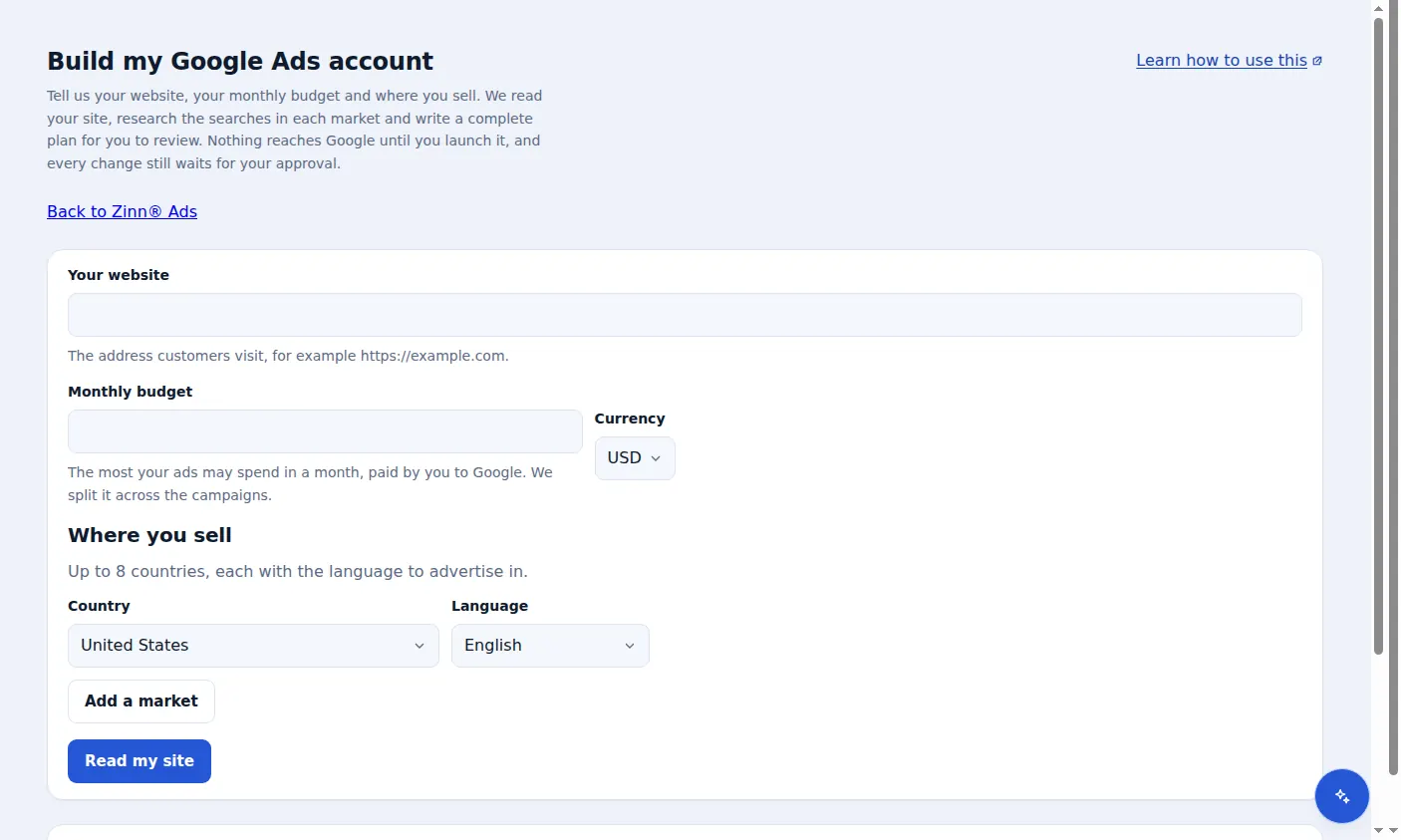
No. Zinn® Ads Simple mode asks for your website, your budget and where you sell, then plans the campaigns, keywords and ads for you to review in plain words.
How much does Zinn® Ads cost?
The Zinn® Ads Free plan, with the daily audit for one ad account, costs nothing. Starter adds the autopilot for $39 a month, with up to $3,000 of managed ad spend.
How does a local business start?
Connect Google Ads
Sign in with Google and tick your ad account. Free needs no card.
Step-by-step guide: Connect Google Ads to Zinn® Ads
Build your account
Enter your website, your monthly budget and where you sell in Build my Google Ads account.
Step-by-step guide: Build a Google Ads account in Simple mode
Set your ceilings
Enter a daily and a monthly spend ceiling for the account.
Step-by-step guide: Set spend ceilings and use the kill switch
Approve
Nothing goes live in Google Ads until you approve it.
Step-by-step guide: Approve ad changes before they go live
Frequently asked questions
Do I keep my own Google Ads account?
Yes. The account and its billing stay yours; you connect it with Google's own sign-in and can disconnect at any time.
Can I undo a change?
Yes. Every change made in your account can be undone with one click for 30 days.
How do I know what changed?
One e-mail a day lists what changed in your account and what needs your approval.
Is click-fraud protection included?
It is free on every website Zinn® hosts. It works on any other website too, with a simple tag, as an add-on at $39 a month per ad account.
Included free with Zinn Digital® hosting
Host with Zinn Digital® and the click shield is free
On our hosting the click-fraud shield runs on the server, with nothing to install and nothing to pay.
Try Zinn® Ads free
The Free plan includes one ad account and the daily audit, with no card needed. Paid plans add the autopilot.