 Zinn® Ads
Read your daily Google Ads audit
Read your daily Google Ads audit — Part 3 of 3
What the Zinn® Ads daily audit looks at in each connected account, where each finding appears, and how to act on it, from Needs you to Changes.
Suggestions to grow every Monday, and the next three weeks
Every Monday the Grow card on your account shows up to five ways to grow, worked out from the account's own figures: a budget test on a campaign that earns at least your ROAS target but loses impressions because its budget runs out (50% more for 14 days), a country that converts without a campaign of its own, a new competitor brand found on searches that name it, or a 50/50 landing-page test. Under them is a calendar of the next 21 days: seasonal peaks, the monthly ad-copy refresh on the 1st, the quarterly structure review and the reviews falling due. Mark each one Done or Dismiss it; a suggestion never changes your ad account by itself.
Your Performance Max audit
The Performance Max card on your account shows each campaign's asset groups with Google's ad strength and how many assets rate best, good, low or still learning, what each channel cost, the top searches and search categories, whether your brand is excluded and how many of the 10,000 negative keywords are used. A low-rated asset to remove or a search to block arrives as a finding: nothing changes until you approve it.
Keywords with a low Quality Score
Quality Score fixer on each Google account reads the Quality Score Google gives every keyword and its three parts: ad relevance, expected click-through rate and landing page experience. For each keyword at or under your limit it names the weakest part and the fix: move the keyword to an ad group whose name says it, a new ad whose headline says it, or a page speed report for a slow landing page. If the site is hosted with us, it also links the page cache, object cache and CDN settings to try. Ad and keyword changes wait in Changes waiting, and nothing on your site is changed. Under Your limits you set the score, the impressions and when a page counts as slow.
Competitor ad groups in every language
Each day Competitor ad groups in every language reads the searches your ads showed for. When people search for a competitor with words like alternative or vs often enough in one language, it proposes one ad group for that competitor in that language, with its keywords and an ad copied from an approved ad in the campaign or translated from your approved English ad, which must pass our ad quality check. Its ads name only that competitor, in at least one headline, never another company. Nothing is sent until you approve it. Under When to propose a group you set the thresholds, with Use recommended.
Your YouTube and Demand Gen audit
On each Google account, the YouTube and Demand Gen audit shows each Video and Demand Gen campaign's people reached, views a person, spend, sales after a click and sales after only a view, whether it has a frequency cap, and Where the money went by placement. It compares the sales Google counts with the sales your own records show. A placement that took a large share of the money and brought no sale becomes a finding: in a Video campaign you approve its exclusion; in Demand Gen, where placements are excluded for the whole account, the finding says to do it in your Google Ads account settings. Save your channel ID under Your YouTube channel and Zinn® Ads offers to link each of its videos your ads use, which you then approve in YouTube Studio. Once your channel is linked, Reach can be picked as a campaign's objective.
Your optimisation score lifted, and your measurement fixed
Zinn® Ads applies Google's safe recommendations for you and judges the rest against your own rules, the same way it does on our own account. It checks your conversion goals, your Google tag and enhanced conversions, and fixes the gaps it finds. Your optimisation score is recorded before and after, so you can see the lift.
Your Shopping feed
Your product feed is checked every day on Google and Microsoft: disapproved or limited products, a price or availability that differs from the page, product-level waste and out-of-stock products that still spend.
Your page as each searcher sees it
Each ad's page is opened from every country, device and language the ad is shown in. A country block, a consent wall over the offer, the wrong language or the wrong currency is named, with the fix.
Placements outside search
Where an ad was shown outside the network's own search or feed, on a partner site or an app, the wasted placements are named for you to decide.
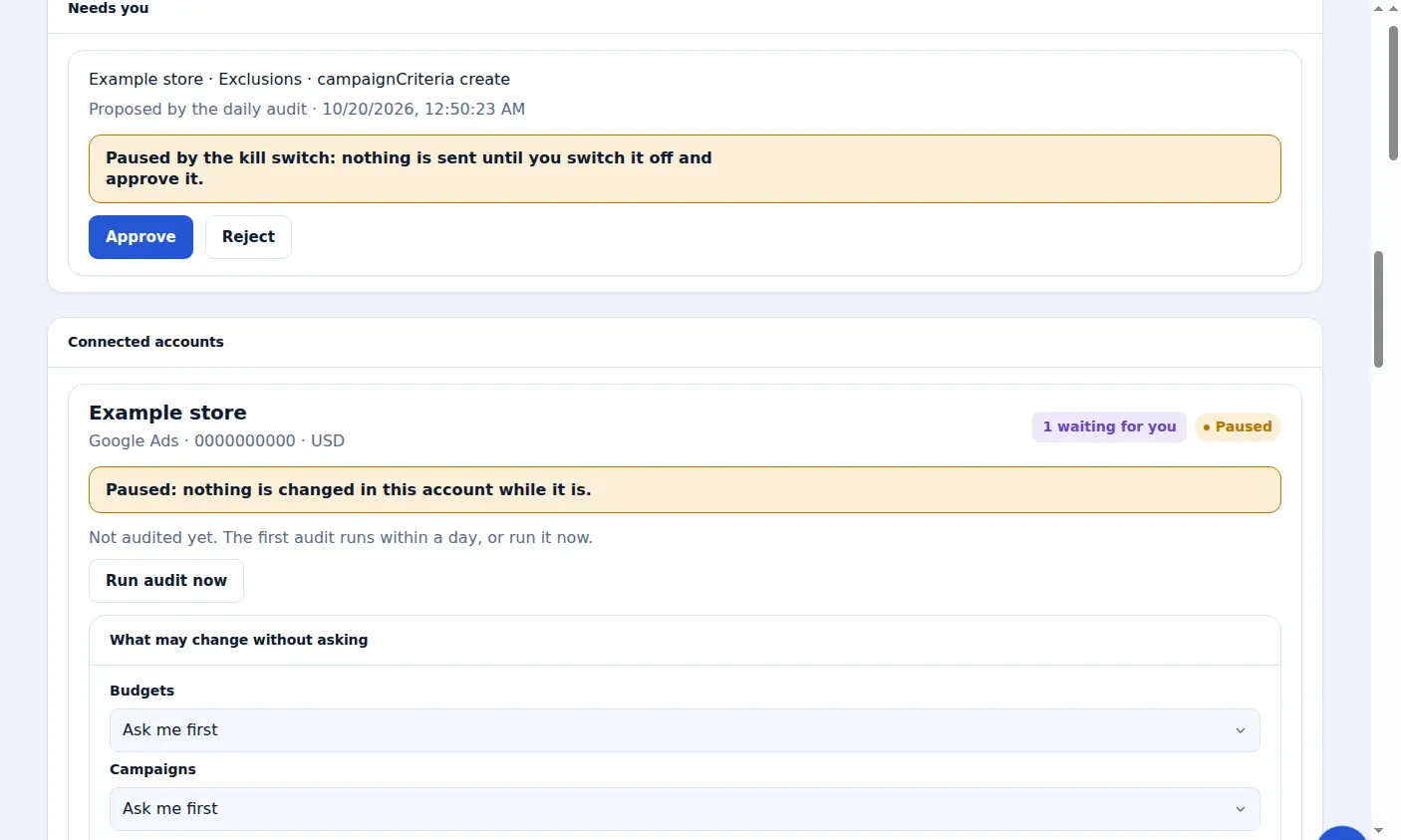
A real screen from the Zinn® Ads dashboard, with example account names.
The feature this guide sets up: Google Ads audit
Next guide: Review the negative keywords found in your search terms
Included free with Zinn Digital® hosting
Host with Zinn Digital® and the click shield is free
On our hosting the click-fraud shield runs on the server, with nothing to install and nothing to pay.